
BeenVerified Background Search
BeenVerified.comCommunication
4.37.95K Reviews
- Version
- 9.1.53
- Installs
- 1.00M
- Age Rating
- Everyone
Screenshots
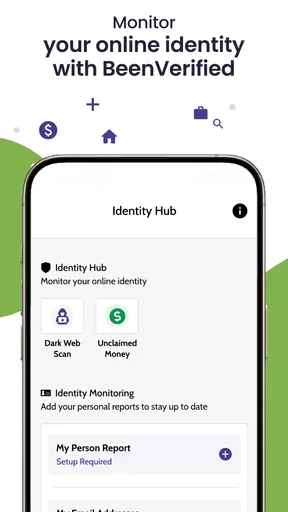
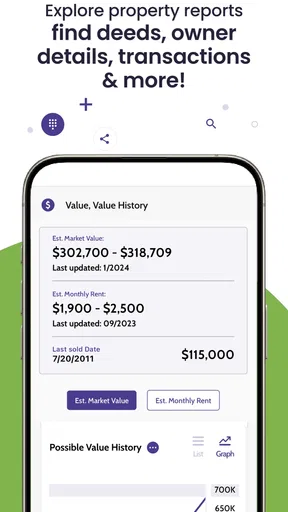
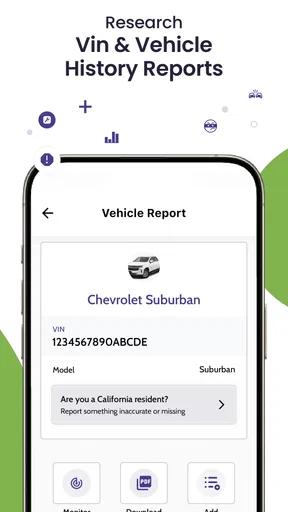
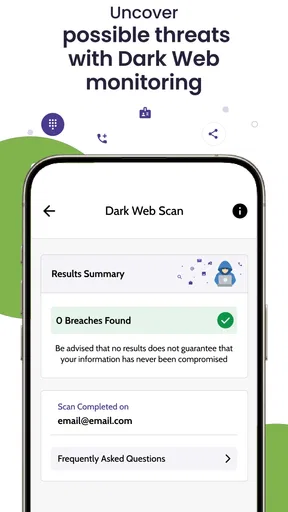
Our Review of BeenVerified Background Search
 Analysis by Appyee
I’d treat BeenVerified Background Search as a starting point for checking public information, not as a shortcut to certainty. Its most useful role is bringing several kinds of searches—by name, phone number, or email—into one mobile workflow. That can save time when I’m trying to make sense of an unfamiliar caller or reconnect with someone, but the results still need careful interpretation. A report is a collection of leads, not proof that every record belongs to the person I have in mind.
What I check before searching
Before I enter anything, I make sure I have a clear reason for the search and the best identifier available. A name alone can point to multiple people, especially when it is common. A phone number or email address may narrow the possibilities, but even then I look for more than one matching detail before drawing a conclusion. This small habit is more useful than running the same vague search repeatedly.
I also decide what I actually need to learn. If an unknown number called once, I may only want enough context to decide whether to call back, block it, or ignore it. If I’m trying to reconnect with an old acquaintance, I might be looking for a possible way to confirm I have the right person. Keeping the question narrow helps me avoid treating every section of a report as equally relevant.
Reading results with care
Public-record information can be incomplete, outdated, or associated with someone who shares a name or other identifier. I would not use a single result to make a serious decision about a person. Instead, I compare the details shown in the report, note where the match is uncertain, and verify important claims through an appropriate source. That is especially important for sensitive topics such as criminal records, where a mistaken match can have real consequences.
A practical tip is to separate “this might be the person” from “I know this is the person.” When details don’t line up, I stop rather than filling gaps with guesses. If the search is about a safety concern, an official channel or direct, trusted confirmation is a better next step than relying on an app report alone.
Who will get the most from it
This is most useful for people who occasionally need to investigate a number, email, person, or property and prefer having those search types together. It may also suit someone who is comfortable reviewing public information and understands that a compiled report is not the same as a verified identity check. The app is less compelling if I only need to identify one caller once; a built-in caller ID, voicemail, or a simple web search may be enough for that.
I would also skip it if I need legally authoritative screening for hiring, housing, lending, or another regulated decision. A consumer background-search app is not a substitute for the proper process in those situations. Likewise, anyone expecting a complete, current biography from one query is likely to be disappointed. I see the value in using it to gather leads, then choosing a more suitable source when accuracy matters most.
How it fits into a daily routine
Imagine I get a missed call while I’m arranging a delivery, and the caller leaves no message. I can search the number, inspect whether the available information gives me a plausible explanation, and decide whether returning the call makes sense. If nothing clearly connects the number to a real person or business, I don’t keep trying variations until I find a result that confirms what I want to believe. I let the uncertainty remain and use ordinary safeguards.
For repeat use, I’d keep a simple mental checklist: begin with the most specific identifier I have, check whether the result fits the context, and stop when the available evidence is too thin. That is a better habit than searching multiple ways just to produce more pages. More results do not automatically mean more confidence, particularly when the underlying details may overlap across people.
Getting Started with BeenVerified
First things first, downloading BeenVerified from the App Store or Google Play is a breeze. Once I had it on my phone, setting up an account was straightforward. They offer a couple of subscription options, so you can choose what fits your needs best. Personally, I went with the monthly plan to test things out without committing long-term.
Interface and Usability
The interface is clean and intuitive, which I really appreciate. No one wants to wrestle with a confusing app when they're looking to find information quickly. Navigating through the app was a seamless experience. The search bar is right there on the homepage, ready to get to work.
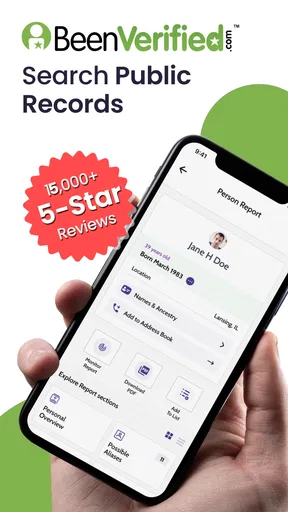
One thing I particularly liked is the way search results are organized. Everything is laid out neatly, making it easy to sift through the data. Whether you’re looking for contact details, social media profiles, or criminal records, you’ll find the information categorized for easy access.
Features That Stand Out
Alright, let’s talk about what BeenVerified can actually do. This app is packed with features that can satisfy your curiosity about public records. Here are a few highlights:
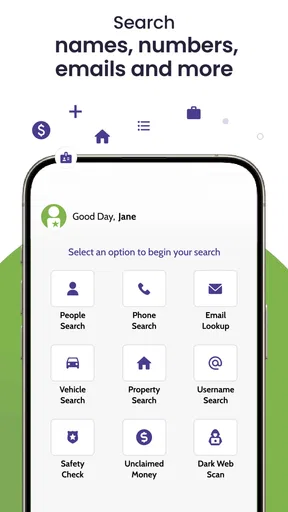
- People Search: Enter a name, email, or phone number and watch the app do its magic. It's like having your own private investigator in your pocket.
- Reverse Phone Lookup: Got a missed call from an unknown number? This feature helps you uncover who’s behind it.
- Property Search: Curious about a house on your street? Find out who owns it and its history.
- Background Checks: This is the big one. You can dig into someone’s past, including criminal records, if available.
Each feature is easy to use, and I found the results to be pretty accurate. It’s a handy tool if you're trying to reconnect with someone or just want to ensure you're informed about the people in your life.
Privacy and Security
Let’s face it, privacy is a big deal these days. I was happy to see that BeenVerified takes this seriously. They’re transparent about what information they collect and how they use it. Plus, you can request to have your own information removed if you’re concerned about what’s out there.
That said, it’s always good to be mindful of how you use such services and remember that the information is sourced from public records. So, everything you find is already out there in some shape or form.
Settings, cost, and practical limits
BeenVerified is a free app to install, but using it is tied to subscription options and in-app purchases. The listed purchase range runs from $9.99 to $99.99 per item, so I would check the exact terms shown in the app before starting a paid plan or assuming a particular search is included. The app is for everyone, but that age label does not make every kind of search appropriate for every situation; I’d still keep privacy and consent in mind.
If I’m only investigating one missed call, I compare the likely value of a paid search with simpler options first: checking voicemail, looking up a business number, or using a phone’s built-in spam tools. If I expect to make several different searches, having phone, email, and people lookup in one place may be more convenient. The trade-off is that convenience does not guarantee a useful match, so I wouldn’t subscribe just because I hope a sparse result will turn into a definitive answer.
The app is developed by BeenVerified.com, has an average rating of 4.4 from around 23,000 ratings, and has been installed over a million times. It currently sits at version 9.1.22 and requires Android 7.0 or later. Those details help place it as an established mobile option, but popularity and a favorable average cannot tell me whether a particular report is accurate or worth the cost for my specific question.
Faster searches without guesswork
When I use a people-finder app more than once, I try to make the searches repeatable rather than simply faster. I start with the detail I trust most, read the result categories that relate to my question, and avoid jumping between every available search type. For an email inquiry, for example, I wouldn’t automatically move on to a property search unless there were a clear reason. This keeps the task focused and reduces the temptation to treat unrelated details as confirmation.
There is also a useful distinction between looking for a lead and verifying it. A possible address, associated name, or old contact detail can suggest what to check next, but it does not establish that the information is current. If I’m trying to reconnect, I would use a respectful, low-pressure approach and let the other person confirm who they are. If I’m checking a caller, I’d give more weight to a clear voicemail or a matching business presence than to a name appearing in a report by itself.
When another option is better
Compared with ordinary search engines, BeenVerified is more purpose-built for looking across people and public-record categories from a phone. A regular web search can be quicker and free for a well-known business or public-facing contact, while a carrier’s spam identification may be more convenient for repeated nuisance calls. For official records, I’d go directly to the relevant public agency where possible, because that is a more suitable place to verify a specific filing or current status.
Its advantage is consolidation; its limitation is that consolidated information can still be ambiguous. I wouldn’t use it to decide whether to hire, rent to, date, lend to, or accuse someone. Those are situations where fairness, consent, current information, and formal verification matter more than a quick mobile report. For casual curiosity or an initial lookup, it can be handy; for consequential judgments, I’d choose a source and process designed for that purpose.
The app belongs to the communication category and has around 7,800 reviews alongside its ratings. I read that kind of reception as evidence that many people have tried it, not as a guarantee that every search will return a complete profile. The most experienced way to use it is to set expectations before opening the search bar: know what question you are asking, decide what evidence would actually answer it, and be willing to stop if the report does not get you there.
My Final Thoughts
Overall, my experience with BeenVerified was pretty positive. It’s a powerful tool for anyone who wants to uncover information quickly and effortlessly. The app’s design is user-friendly, and the features are incredibly comprehensive. Whether you’re using it to reconnect, verify, or just satisfy your curiosity, it’s definitely worth a try.
If you're interested, you can download the app and see for yourself how it works. Just remember to use it responsibly, and happy searching!
Verdict
Strengths of BeenVerified Background Search
- Comprehensive data from multiple sources.
- User-friendly interface with intuitive navigation.
- Fast and accurate search results.
- Offers detailed reports on individuals.
- Includes reverse phone lookup feature.
Limitations of BeenVerified Background Search
- Monthly subscription required for full access.
- Some data may be outdated or inaccurate.
- Limited access to international records.
- Occasional technical glitches reported.
- Privacy concerns with sensitive data access.
Similar Picks in This Category
View All
Google Messages
Google LLC4.6

Gmail
Google LLC4.1

Google Meet
Google LLC4.4

Google Chrome
Google LLC4.1

WhatsApp Messenger
WhatsApp LLC4.6

Carrier Services
Google LLC4.2
Frequently Asked Questions
What is BeenVerified Background Search?
BeenVerified Background Search is a mobile application that allows users to perform background checks by accessing public records. It provides details such as contact information, criminal records, and social media profiles, making it easier for users to verify personal or professional connections.
Is BeenVerified Background Search free to use?
While downloading the BeenVerified app is free, the service requires a subscription to access its full range of features. Users can choose from various subscription plans based on their needs, with options for monthly or annual billing.
How accurate is the information provided by BeenVerified?
BeenVerified collects data from a variety of public sources, meaning the accuracy depends on the availability and reliability of these records. While it strives to provide up-to-date and comprehensive information, users should verify critical details independently to ensure accuracy.
Is my data safe with BeenVerified?
BeenVerified takes privacy and data security seriously, implementing measures to protect user information. However, users should review the app's privacy policy to understand how their data is managed and shared. It's always wise to use strong passwords and be cautious with personal information.
Can I use BeenVerified for employment screening?
BeenVerified is not intended for use in employment screening, tenant screening, or any form of consumer reporting. The app is designed for personal use, such as reconnecting with friends or verifying online acquaintances. For official screenings, users should refer to compliant services.
